


Accept Payments Wherever Business Takes You
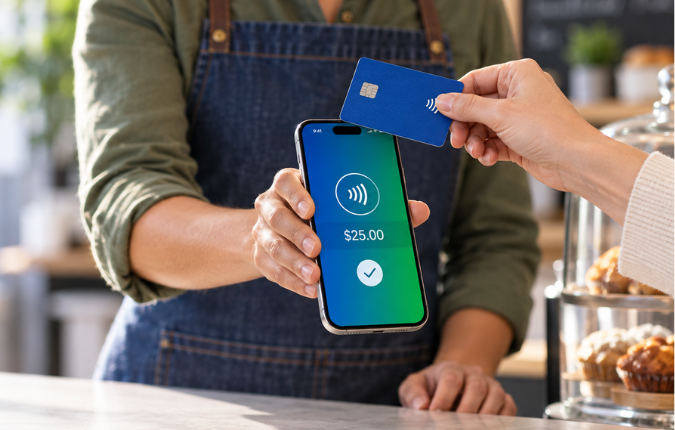
Tap2Local™ gives eligible Citizens State Bank business customers a simple way to accept card payments using the phone already in their pocket. No separate card reader or additional app required.
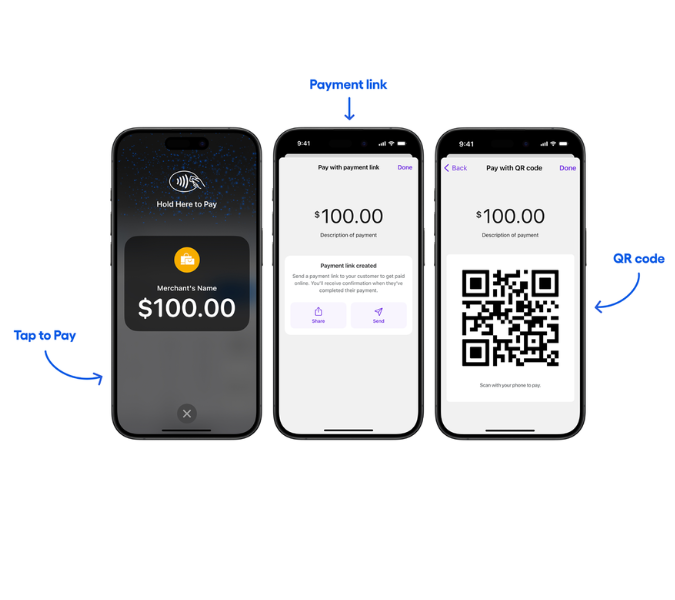
Accept payments through Tap to Pay, share a payment link, display a QR code, or send an invoice, all through CSB digital banking.
.png)
A Simpler Way to Accept Payments
Whether you are working at a job site, selling at a local event, meeting with a client, or running a storefront, Tap2Local helps you accept payments wherever business happens.
Because Tap2Local is built into CSB digital banking, you can manage payments and view activity alongside your business accounts.
- No card reader or additional hardware to purchase
- Available through CSB mobile and online banking
- Accept major credit, debit, prepaid, and commercial cards
- View payment activity and transaction details
- Funds typically become available the next banking day, subject to applicable cutoff times
- Export transactions or connect your merchant account with QuickBooks® or Xero™
.png)
Built for Small Businesses on the Move
Tap2Local may be a good fit for:
- Contractors and home service providers
- Market, festival, and event vendors
- Photographers and creative professionals
- Tutors, coaches, and instructors
- Beauty and personal service providers
- Small retailers and food businesses
- Businesses that send invoices or collect customer deposits
- Sole proprietors who want a simple way to accept card payments
Not sure whether Tap2Local fits your business? A CSB business banker would be happy to talk it through with you.
Three Ways to Get Paid
Tap to Pay
Turn a compatible smartphone into a payment terminal. Customers can tap a contactless card or supported mobile wallet directly on your phone to complete an in-person payment.
Tap to Pay is available through the CSB mobile banking app on compatible Apple® and Android™ devices.
Payment Links
Create a secure payment link and share it with customers by text, email, social media, or another preferred channel. Payment links can be used for remote payments, deposits, donations, and other payment needs.
Payment links may be used more than once, but automatic recurring payments are not currently available.
QR Codes
Display a QR code on your phone or computer for customers to scan. The customer enters their card information through a secure online payment experience.
How Enrollment Works
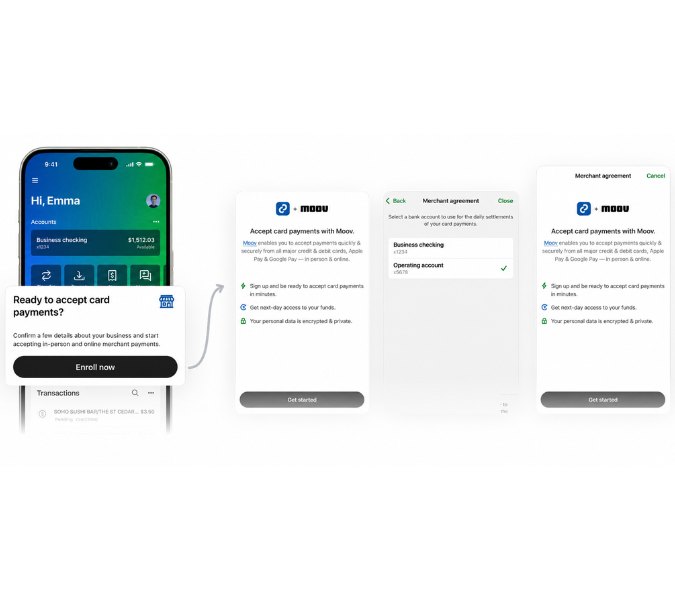
Eligible customers can begin enrollment through CSB digital banking.
- Sign in to your CSB mobile app.
- Select Accept Payment or visit the Merchant section.
- Provide the requested business and ownership information.
- Review and accept the Tap2Local merchant agreement.
- Complete the business and identity verification process.
Only an owner or authorized controller of the business may complete enrollment and accept the merchant agreement. Citizens State Bank employees cannot enroll on behalf of a business, but we are happy to help customers navigate the process.
Enrollment and payment acceptance remain subject to verification, approval, account eligibility, device compatibility, and industry restrictions.
Local Business Just Got Easier
Frequently Asked Questions
Do I need to purchase a card reader?
No. Tap to Pay uses the contactless payment technology available on compatible smartphones. Payment links and QR codes also allow you to accept payments without a card reader.
Do I need another app?
No. Tap2Local is available through the CSB mobile banking app for eligible customers.
What types of payments can I accept?
Tap2Local supports eligible credit, debit, prepaid, and commercial cards from major card networks. Customers may also use supported mobile wallets for Tap to Pay transactions.
When will I receive the money from a card payment?
Eligible card transactions typically fund your Tap2Local merchant wallet the next banking day when completed before applicable card-network cutoff times. The funds are then transferred to the CSB account you select. Weekends, holidays, transaction timing, reviews, and other factors may affect availability.
Can someone at the bank enroll my business?
No. An owner or authorized controller must complete the enrollment process and accept the merchant agreement. A CSB team member may sit with you and help you navigate the process.
Is every business eligible?
Eligibility depends on several factors, including business verification, ownership information, account setup, industry, and risk requirements. Certain restricted or prohibited industries may not qualify.
Who do I contact if I need help?
Moov provides first-line support for merchant questions and can be reached at help@moov.io or 1-855-977-6668. You may also contact Citizens State Bank at 979-596-1421 or ebanking@csbtx.bank if additional assistance is needed.